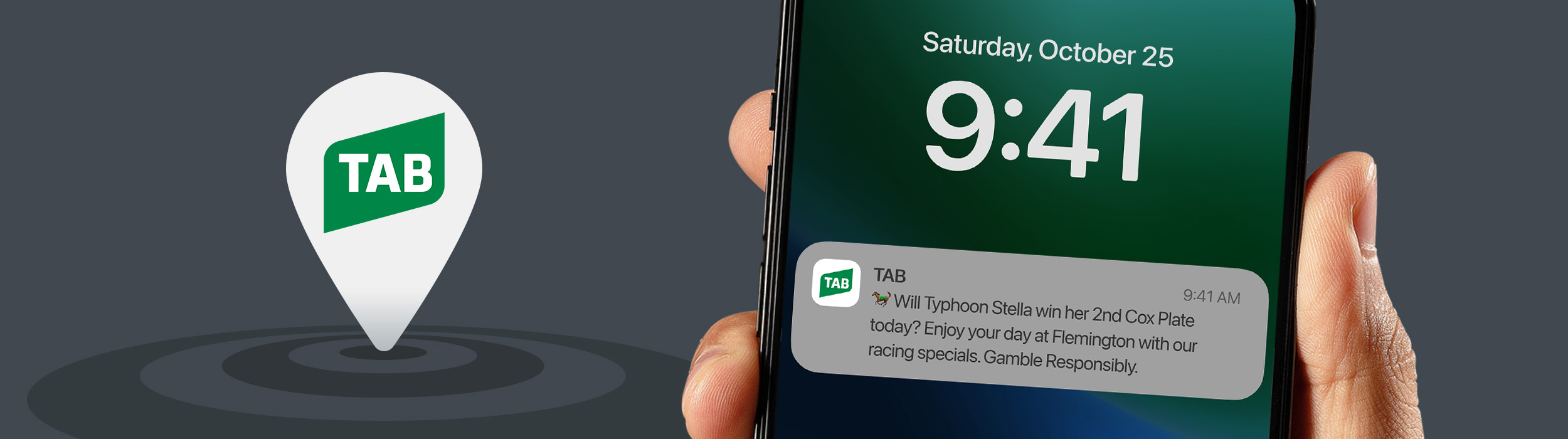
Piloting location-based push notification offers to increase share of wallet at TAB venues.
There is an abundance of TAB venues across eastern Australia offering betting facilities and live sports broadcasts. However, many punters who visit these TAB venues have betting accounts with multiple wagering providers. They often choose to place bets with competing providers on their mobile phones. To increase customer engagement and share of wallet, a pilot project was initiated to deliver location-based offers via push notifications to these customers inside TAB venues.

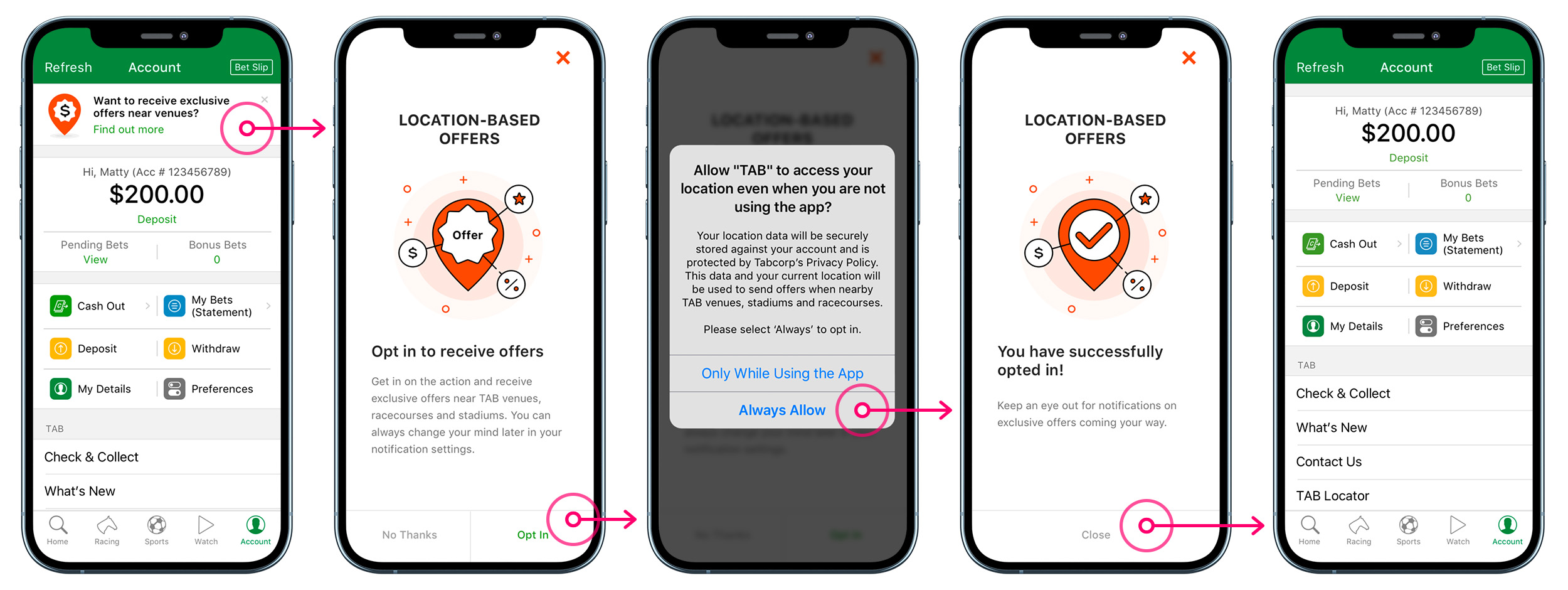
Factoring into the technical requirements and time constraints in this pilot project, we developed push notifications to be triggered only when a customer enters a geofence established around TAB venues, pubs, stadiums and racecourses. In order to receive these push notifications, users will need to enable the required permissions in their app and device settings. Notably, iOS users must choose ‘Always Allow’ for the TAB app to access their location, even while not using the app. A user flow was created to map out all the scenarios and possibilities within the onboarding journey of opting into location-based offers.
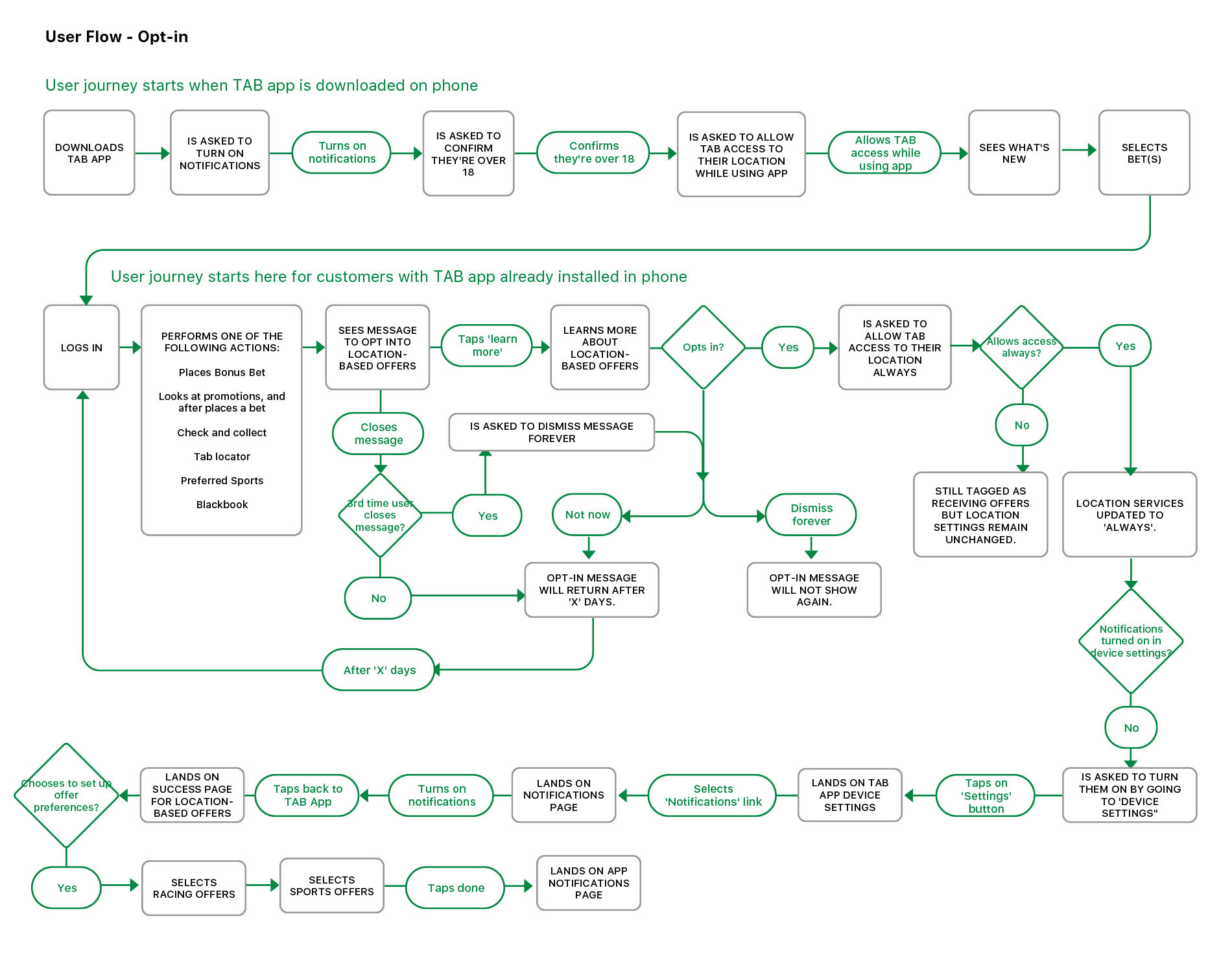
We considered including the onboarding prompt for location-based offers in the beginning when the user opens the TAB app after downloading it onto their phone. However, we decided against it due to the number of steps and legal requirements already involved in the onboarding stages of the app.
To avoid disrupting primary betting tasks, we positioned the onboarding prompt for location-based offers at the top of the Accounts page. Since users visit the Accounts page weekly to manage their funds and bets, it offers a natural and high visibility pathway to introduce the benefits of location-based offers.
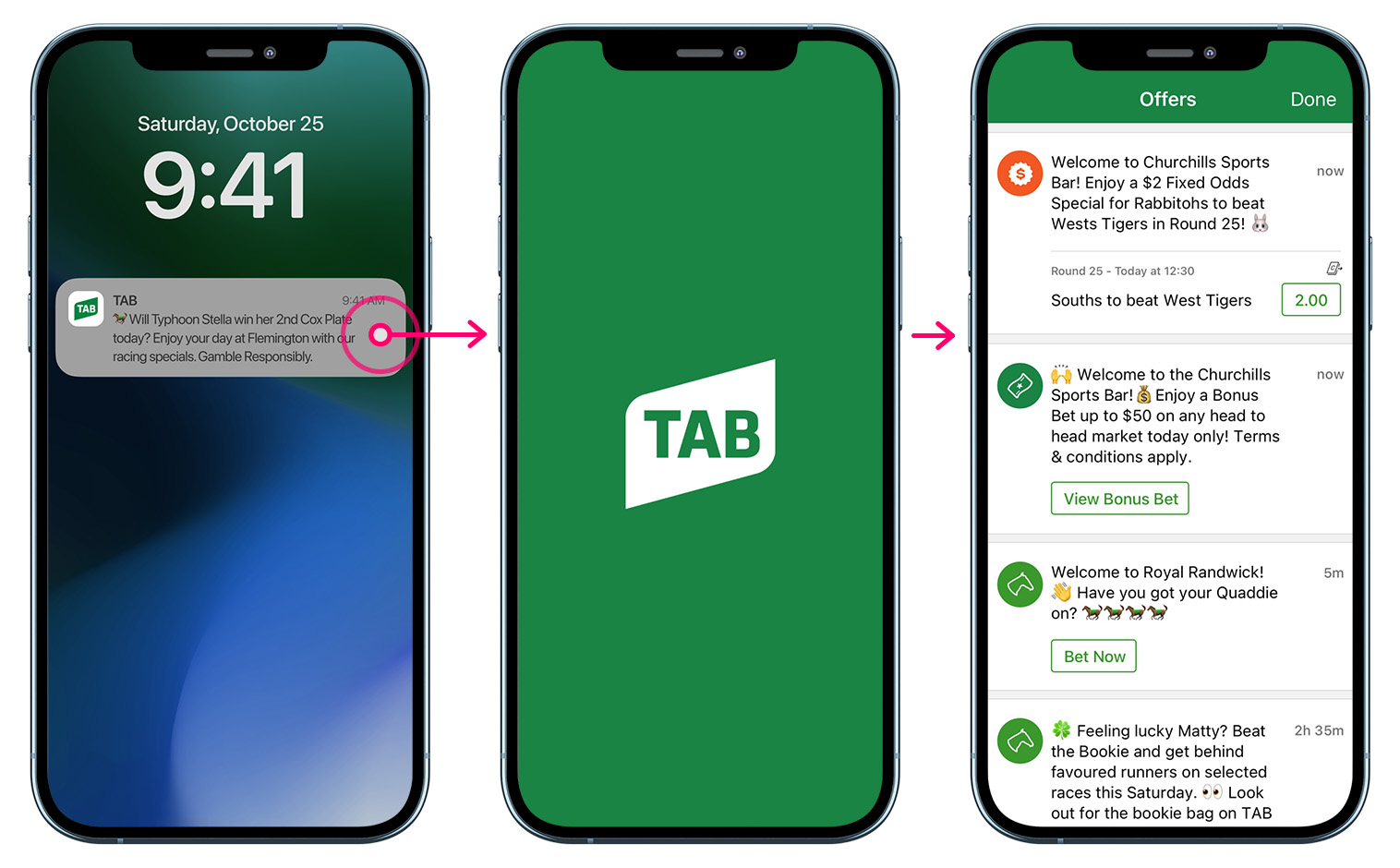
To address user concerns of losing track of location-based offers once a push notification is dismissed, I designed a dedicated Offers page to ensure these offers remain retrievable and actionable. Although this feature was descoped for the pilot launch to prioritise core functionality, it illustrates our long-term strategy for sustained user engagement.
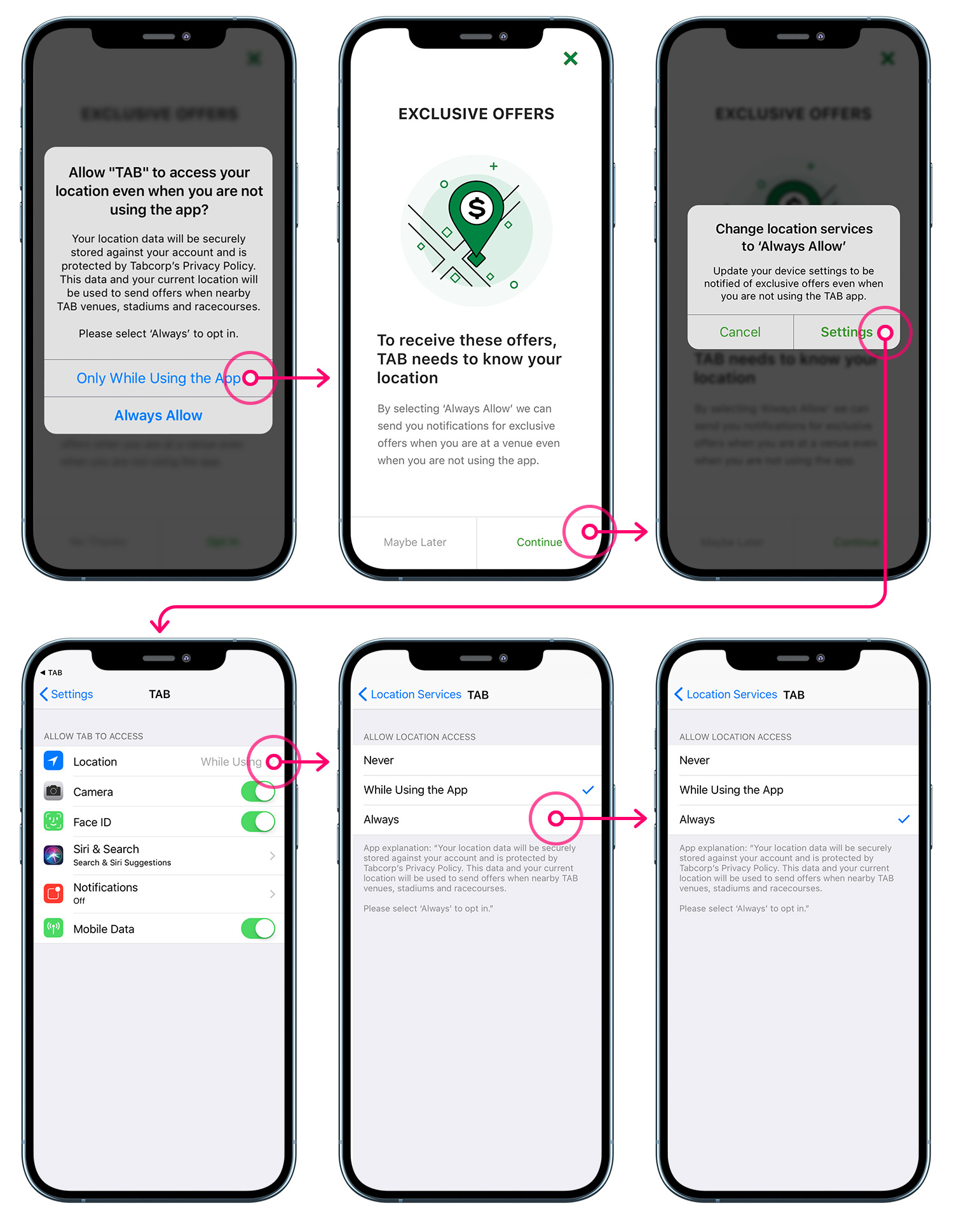
The initial pilot revealed a gap between controlled usability testing and real-world behaviour. While participants in testing successfully set their location permissions to “Always Allow,” post-launch analysis showed some users had selected “Only While Using the App”, preventing the feature from functioning as intended.
What this signified is the onboarding experience had assumed a level of technical literacy that didn’t reflect our actual user base. We revised the permission onboarding flow to make the distinction between permission types clearer and more explicit, with plain-language explanations of why “Always Allow” was required for the feature to work. Following this iteration, opt-in rates improved and the feature moved closer to its intended performance.
This project reinforced the gap between controlled usability testing and behavioural contexts in reality. It highlighted the importance of post-launch analysis and iterative improvement. This is particularly important for features that rely on device-level permissions and user settings.